Motorcycle Rental Management System - Installation & Operation Guide
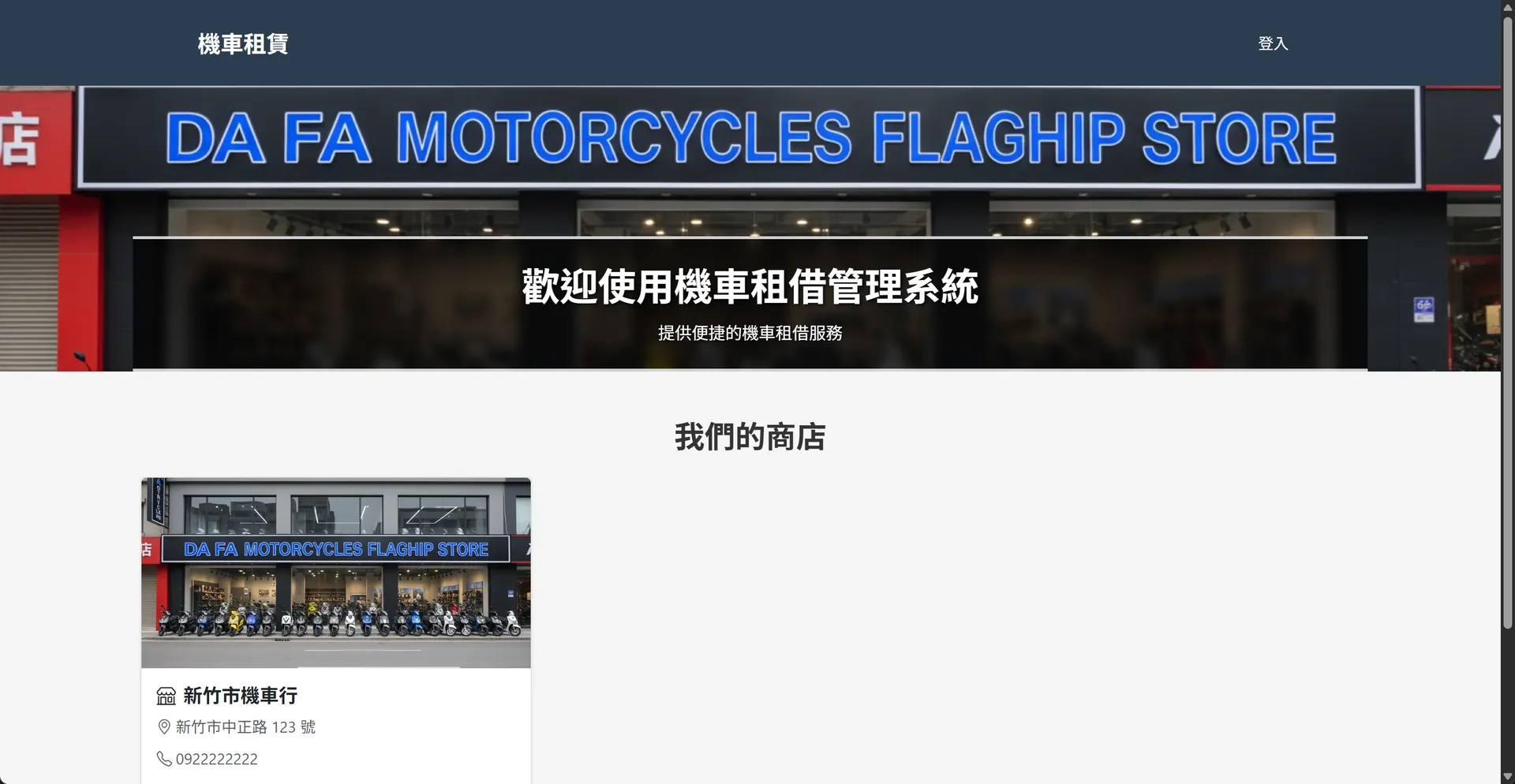
Case Details
System Overview
This is a comprehensive motorcycle rental management system built with Python Flask. The system provides customer reservations, inventory management, order tracking, and other features suitable for motorcycle rental businesses.
User Roles
The system supports three user types:
- Admin - Full system access, can manage all resources
- Store Admin - Management permissions for store resources
- Customer - Can browse stores, reserve motorcycles, and manage personal profile
📦 System Installation
Prerequisites
Before installation, please ensure your computer has: - Python 3.12 or newer - MySQL Database - Git (optional)
Installation Steps
1️⃣ Create Database
Open MySQL and execute the following command to create the database:
CREATE DATABASE `rent-scooter` CHARACTER SET utf8mb4 COLLATE utf8mb4_unicode_ci;
2️⃣ Install System Packages
Open command prompt or terminal in the project folder and run:
uv sync
This command will automatically install all required packages.
3️⃣ Configure Database Connection
Create a .env file in the project root directory with the following content:
DATABASE_URL=mysql+pymysql://root:your_password@localhost/rent-scooter
SECRET_KEY=your-secret-key-here
Please replace your_password with your MySQL password
4️⃣ Initialize Database
Run the following command to create tables and default admin account:
uv run python init_db.py
The system will automatically create a default admin account:
- Username: admin
- Password: admin123
⚠️ Important: Please change the default password before production use!
5️⃣ Start the System
Run the following command to start the website:
uv run python run.py
After seeing the startup message, open your browser and enter: http://localhost:8000
Congratulations! The system has been successfully installed 🎉
Production URL: https://rent-scooter.ai-tracks.com
🌐 Frontend Operations (Customer Usage)
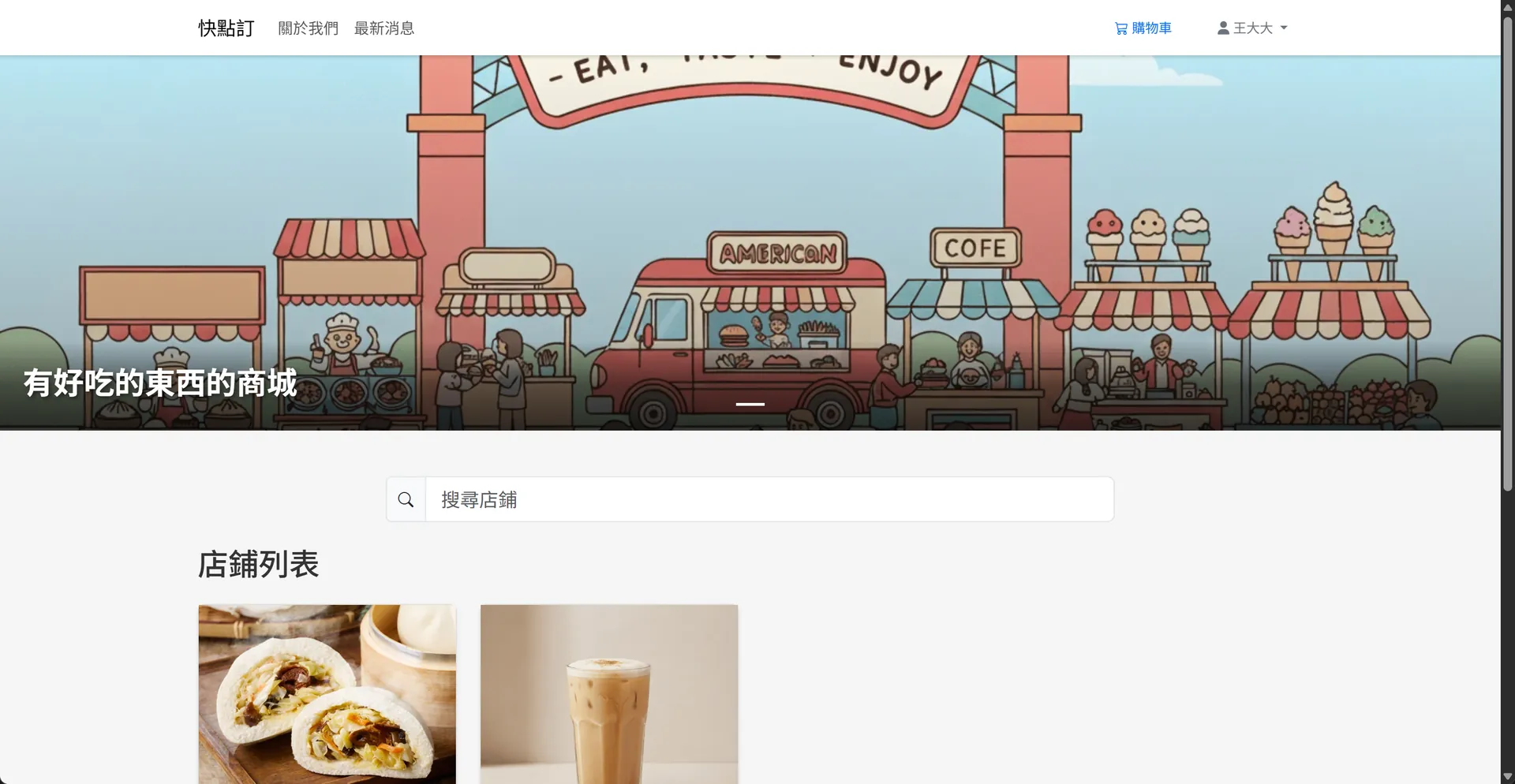
1. Browse Homepage
URL: https://rent-scooter.ai-tracks.com/
Development URL: http://localhost:8000/
Features: - View all rental stores - Browse promotional banners - Responsive design for mobile, tablet, and desktop
How to Use: - Click on any store card to enter that store's motorcycle list
2. View Store Motorcycles
URL: https://rent-scooter.ai-tracks.com/stores/<store_id>
Development URL: http://localhost:8000/stores/<store_id>
Features: - View all available motorcycles at a specific store - Motorcycle information includes: - License plate number - Model name - Vehicle type (White Plate/Green Plate/Electric) - Color (Black/White) - Current status (Available/Rented/Reserved/Under Maintenance) - Motorcycle photo
How to Use: 1. Browse the motorcycle list 2. Click on the motorcycle you want to rent 3. View detailed information
3. Reserve a Motorcycle
When you find a motorcycle you want to rent, you can make an online reservation.
Required Information: - Renter Name (required) - Taiwan ID Number (required, automatically validated) - Has Driver's License (required) - Contact Phone (optional) - Remarks (optional)
Reservation Process: 1. Click the "Reserve" button 2. Fill in renter information 3. ID number will be automatically formatted (e.g., a123456789 → A123456789) 4. System validates data accuracy 5. Submit reservation 6. Motorcycle status changes to "Reserved"
Important Notes: - After reservation, there is a 30-minute hold time - If not confirmed within 30 minutes, the system will automatically release the motorcycle - Please contact the store to confirm the order as soon as possible after reservation
4. Member Login
URL: https://rent-scooter.ai-tracks.com/login
Development URL: http://localhost:8000/login
Features After Login: - View personal information - Modify personal details - View order history
How to Use: 1. Click "Login" in the top right corner 2. Enter username and password 3. After successful login, your username appears in the top right corner
5. Personal Profile Management
URL: https://rent-scooter.ai-tracks.com/profile
Development URL: http://localhost:8000/profile
Login Required
Editable Information: - Username - Email address - Taiwan ID number (format validated)
How to Use: 1. Click on your username in the top right corner 2. Select "Profile" 3. Modify information 4. Click "Save"
6. Order History
URL: https://rent-scooter.ai-tracks.com/orders
Development URL: http://localhost:8000/orders
Requires login and Taiwan ID number filled in
Display Content: - All orders associated with your ID number - Order number - Rental dates - List of rented motorcycles - Order status (Pending/Rented/Returned/Cancelled) - Total amount - Contact information
🔧 Backend Operations (Admin Usage)
1. Admin Login
URL: https://rent-scooter.ai-tracks.com/admin/login
Development URL: http://localhost:8000/admin/login
Default Credentials:
- Username: admin
- Password: admin123
After Login Notes: - Recommend changing the default password immediately - Admin backend and frontend logins are separate
2. Admin Dashboard
URL: https://rent-scooter.ai-tracks.com/admin/
Development URL: http://localhost:8000/admin/
Dashboard Display: - Total motorcycles and available count - Total orders and pending count - Number of partners and stores - Number of banners - User statistics - Last 5 orders
Quick Links: - Shortcuts to various management pages - Real-time data updates
3. Partner Management
URL: https://rent-scooter.ai-tracks.com/admin/partners
Development URL: http://localhost:8000/admin/partners
Add Partner
Required Information: - Partner name - Business registration number - Address - Contact information
Steps: 1. Click "Add Partner" 2. Fill in the form 3. Click "Save"
Manage Partners
Features: - View all partner list - Edit partner information - Delete partner
4. Store Management
URL: https://rent-scooter.ai-tracks.com/admin/stores
Development URL: http://localhost:8000/admin/stores
Add Store
Required Information: - Store name - Address - Phone number - Associated partner (optional) - Store photo (supports JPG, PNG, GIF, automatically optimized)
Steps: 1. Click "Add Store" 2. Fill in store information 3. Upload store photo 4. Click "Save"
Manage Stores
Features: - Browse all stores - Modify store information - Update store photos - Delete stores
5. Motorcycle Management (Core Feature)
URL: https://rent-scooter.ai-tracks.com/admin/motorcycles
Development URL: http://localhost:8000/admin/motorcycles
Add Motorcycle
Required Information: - License Plate Number (required, must be unique) - Model (e.g., YAMAHA FORCE, GOGORO 2) - Color: Black or White - Vehicle Type: - White Plate (under 125cc) - Green Plate (over 250cc) - Electric Bicycle - Assigned Store - Motorcycle Photo (supports JPG, PNG, GIF)
Steps: 1. Click "Add Motorcycle" 2. Fill in motorcycle information 3. Upload motorcycle photo 4. Select assigned store 5. Click "Save"
Motorcycle Status Description
- Available (待出租): Available for rent, displayed on frontend
- Reserved (預訂): Reserved by customer (30-minute hold)
- Rented (已出租): Currently rented out
- Under Maintenance (維修中): Under maintenance, not available
- Offline (下架): Not displayed on frontend, but kept in system
Manage Motorcycles
Features: - View all motorcycle list - Search by license plate number - Filter by status - Edit motorcycle information - Change photos - Modify status - Delete motorcycles
Useful Tips: - Use search function to quickly find specific vehicles - Regularly check motorcycles "Under Maintenance" - Monitor expiration time of "Reserved" motorcycles
6. Order Management
URL: https://rent-scooter.ai-tracks.com/admin/orders
Development URL: http://localhost:8000/admin/orders
Create Order
Required Fields: - Order Number (auto-generated or manual input) - Select Partner - Renter Information: - Name - Taiwan ID number (validated by system) - Has driver's license - Select Motorcycles (multi-select) - Reservation Date - Total Amount
Optional Fields: - Rental plan ID - Rental start/end time - Shipping company (泰富/藍白/聯營/大福) - Ferry departure/return time - Contact phone - Payment method (Cash/Monthly/Daily) - Estimated return time - Remarks
Steps: 1. Click "Create Order" 2. Fill in order information 3. Select motorcycles to rent (multiple allowed) 4. Fill in customer information 5. Confirm amount 6. Click "Create Order"
Order Status Flow
- Pending (待處理) → Order created, awaiting processing
- Rented (已出租) → Motorcycle handed over to customer
- Returned (已歸還) → Customer returned motorcycle
- Cancelled (已取消) → Order cancelled
Manage Orders
Features: - View all orders - Search by license plate number - Search by order number - Filter by status - View order details (including motorcycle list) - Edit order information - Delete orders
Important Notes: - When creating an order, selected motorcycles automatically change to "Rented" - One order can include multiple motorcycles - System updates inventory status in real-time
7. Banner Management
URL: https://rent-scooter.ai-tracks.com/admin/banners
Development URL: http://localhost:8000/admin/banners
Add Banner
Required Information: - Banner name - Subtitle - Upload image - Display order (lower number = higher priority) - Active status
Steps: 1. Click "Add Banner" 2. Fill in title and subtitle 3. Upload banner image (recommended size: 1920x600) 4. Set display order 5. Check "Active" 6. Click "Save"
Manage Banners
Features: - Enable/disable banners - Adjust display order - Change images - Delete banners
Display Logic: - Only "Active" banners are displayed on homepage - Sorted by "Display Order" - Displayed as carousel
8. User Management
URL: https://rent-scooter.ai-tracks.com/admin/users
Development URL: http://localhost:8000/admin/users
Add User
Required Information: - Username - Email (must be unique) - Password (at least 6 characters) - User type (Admin/Store Admin/Customer) - Taiwan ID number (optional, validated by system)
Steps: 1. Click "Add User" 2. Fill in account information 3. Select user type 4. Set initial password 5. Click "Save"
Manage Users
Features: - View all users - Filter by type - Edit user information - Reset password - Delete users
Important Notes: - Passwords are encrypted - Email must be unique - Different permissions based on role
9. Admin Personal Settings
URL: https://rent-scooter.ai-tracks.com/admin/profile
Development URL: http://localhost:8000/admin/profile
Modifiable Items: - Username - Email address - Password (requires current password input)
Change Password Steps: 1. Click "Personal Settings" 2. Enter current password 3. Enter new password 4. Re-enter new password for confirmation 5. Click "Save"
Security Reminder: - Current password required for changes - New password needs double confirmation - Password must be at least 6 characters
📋 Common Workflows
Complete Customer Rental Process
Customer Side: 1. Enter website homepage 2. Select a store 3. Browse available motorcycles 4. Fill in reservation information (name, ID number, phone) 5. Submit reservation
Admin Side: 6. Login to admin backend 7. View reservation information 8. Create formal order 9. Motorcycle status automatically changes to "Rented" 10. Customer picks up motorcycle at store 11. After customer returns, admin changes order to "Returned" 12. Motorcycle status returns to "Available"
Admin Adding New Motorcycle
- Login to admin backend
- Go to "Motorcycle Management" → "Add Motorcycle"
- Enter license plate, model, color, type
- Select assigned store
- Upload motorcycle photo
- Click "Save"
- Motorcycle immediately appears on that store's frontend page
Order Processing Workflow
- Check "Pending" reservations
- Verify customer information
- Create formal order or convert reservation to order
- Select payment method
- Fill in ferry information (if needed)
- Confirm order
- System automatically updates motorcycle status
- Print or send confirmation to customer
🔍 FAQ
Installation Related
Q: Cannot connect to database?
- Check if MySQL service is running
- Verify DATABASE_URL in .env file is correct
- Confirm database has been created
Q: Cannot upload images?
- Check if uploads/ folder has write permissions
- Confirm file size doesn't exceed limit
- Confirm file format is JPG, PNG, or GIF
Usage Related
Q: Why are reservations automatically cancelled? - Reservations have a 30-minute hold time - After timeout, system automatically releases motorcycle - Recommend contacting store immediately after reservation
Q: Forgot admin password?
- Can modify directly through database
- Or re-run init_db.py to reset (will clear data)
Q: Why doesn't motorcycle show on frontend? - Check if motorcycle status is "Offline" - Confirm motorcycle is assigned to correct store - Check if store has been created
Q: How to batch import motorcycle data? - Current system requires manual entry one by one - Or can import directly through database (requires technical assistance)
💡 Usage Recommendations
For Administrators
- Regular Inventory Check: Check motorcycle status daily to ensure data accuracy
- Timely Order Processing: Process "Pending" orders as soon as possible
- Update Banners: Regularly change homepage banners to attract customers
- Backup Data: Regular database backups to avoid data loss
- Change Default Password: Change default admin password immediately after installation
For Customers
- Book Early: Reserve early during peak times
- Confirm Information: Verify ID number is correct before reservation
- Stay Connected: Provide correct contact phone
- Pickup On Time: Contact store within 30 minutes after reservation
System Maintenance Recommendations
- Regular Cleanup: Regularly clean up returned order data
- Monitor Space: Pay attention to disk space used by uploaded images
- Check Logs: Regularly review system logs to ensure normal operation
- Update Data: Keep store information, contact phones, etc. up to date
📞 Technical Support
When encountering issues, check in order:
- Check Documentation:
README.md- System descriptionINSTALL.md- Installation details-
CHANGE.md- Version update log -
Check Configuration:
- Database connection
- File permissions
-
Environment variables
-
Check Logs:
- View system error messages
- Confirm operation logs
🎯 Conclusion
This motorcycle rental management system built with Python Flask provides:
✅ Customer-friendly Frontend - Easy browsing and reservation
✅ Comprehensive Admin Backend - Full business management
✅ Automated Features - Reservation expiration, image optimization
✅ Security Protection - Password encryption, data validation
✅ Easy to Expand - Can add features as needed
Whether you're a rental business owner or system administrator, this system will help you effectively manage motorcycle rental operations!
Last Updated: November 2025
System Version: 1.0
Built with Python Flask
Project Information
- Python
- Published: 2025-11-13
- 66 views
- Visit Website